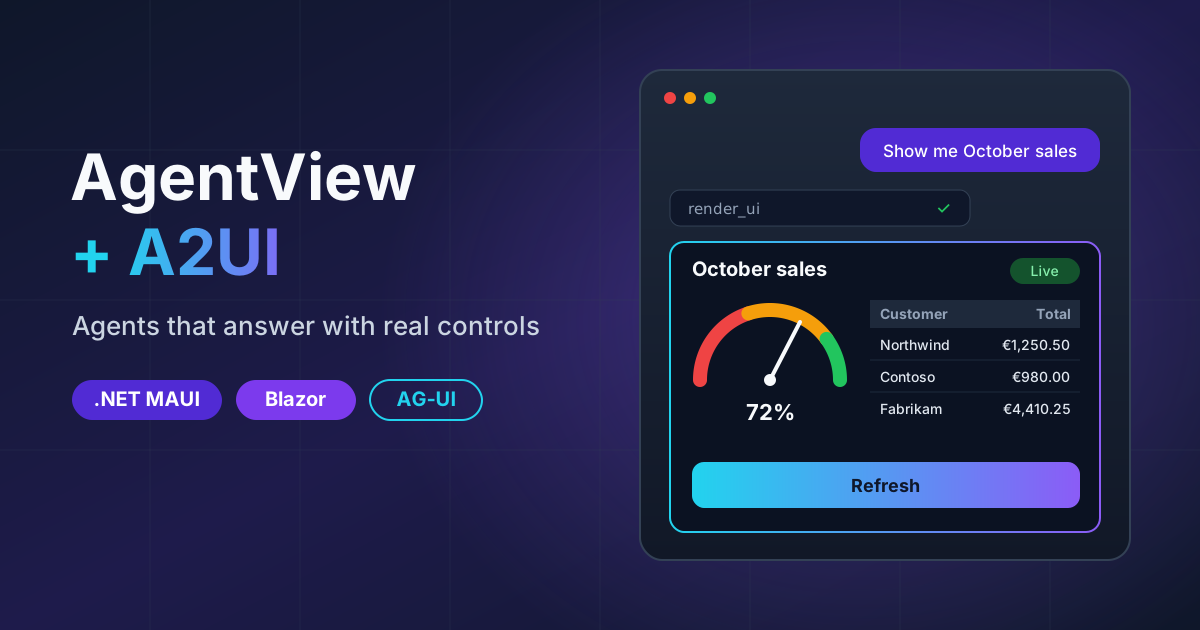
AgentView and A2UI - Agents That Answer With Real Controls, on .NET MAUI and Blazor
On this page
I’ve built the “chat with an AI” screen more times than I’d like to admit. It always starts the same way: a list, a text box, and a bubble that fills up as tokens arrive. Easy. Then the model calls a tool, so you need a card for that. Then it needs the user to approve something, so you need buttons. Then it needs a date, so you need a date picker, and now the “chat” screen has a calendar wired into it by hand. Then somebody asks it for the sales numbers and it writes you a Markdown table with 40 rows that nobody can read on a phone.
Every one of those screens ended up as the same pile of code, slightly different each time. So I built it once, properly, for both .NET MAUI and Blazor. It’s two controls:
- AgentView - a conversation with an agent. You hand it a session, it draws everything the agent sends.
- A2UISurfaceView - draws the UI an agent describes, using real Shiny controls instead of text.
Where this lives
 Shiny.Maui.Controls.AgentsAgentView and A2UISurfaceView for .NET MAUI: iOS, Android, Mac Catalyst, macOS, Windows and Linux.Shiny.Blazor.Controls.AgentsThe same two controls as pure Razor components: WebAssembly, Server and Hybrid.Shiny.Controls.AgentUI.SharedThe host-neutral engine underneath both: AG-UI runs, tools, prompts and the A2UI renderer. Native AOT clean.
If you’d rather poke at it than read about it, both controls are live in your browser right now, twice:
- Blazor: the Agent View and A2UI Gallery pages in the Shiny Controls playground.
- .NET MAUI: the MAUI web sample, under its Shiny Controls tab. That’s the MAUI version of these controls, unchanged XAML, running on WebAssembly with the web backend I wrote about last month.
Two protocols worth betting on
I didn’t want to invent a wire format. Two open protocols already cover this, and both have momentum:
- AG-UI is how an agent talks to a frontend: a stream of events for text, reasoning,
tool calls, state, steps, interrupts and errors. There’s an official .NET SDK (
AGUI.Abstractions,AGUI.Server), and AgentView speaks its events directly. - A2UI is how an agent describes UI: a flat list of components, a data model, bindings and actions. Declarative JSON, never code.
Betting on those means AgentView doesn’t care what’s on the other end. Microsoft Agent Framework, a Python agent behind
an AG-UI endpoint, an IChatClient running in-process, or a recording from a test fixture: they all produce the same
events.
AgentView
Here’s the whole thing on MAUI:
<shiny:AgentView x:Name="Agent"
                 PlaceholderText="Ask anything…"
                 ShowReasoning="Collapsed" />
var prompts = new AgentPromptQueue();
Agent.Prompts = prompts;
Agent.Tools = new AgentToolRegistry().AddAll(prompts);
Agent.Session = AgentSession.Create("thread-1", myTransport.SendAsync);And on Blazor:
<AgentView Session="@session" Tools="@tools" Prompts="@prompts"
           Suggestions="@(["Show me the sales dashboard", "Book a trip"])"
           StateChanged="OnStateChanged" />
That gets you markdown that streams in token by token (coalesced to about 30 updates a second, so a long reply doesn’t melt Blazor Server), reasoning folded into a “Thought for 4s” row, tool call cards with live arguments and a ✓ or ✕ when they finish, sub-agents nested inside the turn that started them, a breadcrumb of the step the agent is on, errors with Retry, and a Send button that turns into Stop. It sticks to the bottom while the agent writes, unless you’ve scrolled up to read something, in which case it leaves you alone and shows a “jump to latest” pill.
The control never sees an HttpClient, a model or an API key. It takes an IAgentSession, which is one method:
run this AG-UI input, stream back events. If you’re already using
Shiny.AiConversation, it’s one line:
Agent.Session = AgentSession.Create(session.SessionId, session.RunAgUiAsync);Every default can be swapped with a template: user and assistant messages, tool cards by tool name, interrupts, errors and sub-agents.
The agent asks, a real control answers
This is the part I actually wanted. When an agent needs something from the user, the usual answer is “it asks in text and the user types back”. That’s fine for “what’s your name”. It’s terrible for “which dates are you travelling?”
AgentView ships six built-in frontend tools. The agent calls one, and a real Shiny control shows up inline under the tool card:
| Tool | What the user sees | What the agent gets |
|---|---|---|
confirm |
Two buttons | {"confirmed": true} |
choose_one |
One button per option | {"choice": "..."} |
choose_many |
A ChipGroup and Done | {"choices": [...]} |
pick_date |
A calendar | {"date": "2026-12-01"} |
pick_date_range |
The range picker | {"start": "...", "end": "..."} |
ask_text |
An entry | {"text": "..."} |
AddAll(prompts) registers all six, and adding your own kind is a line. Declining sends back a failed result
(“The user declined.”), so the model never mistakes “no” for success.
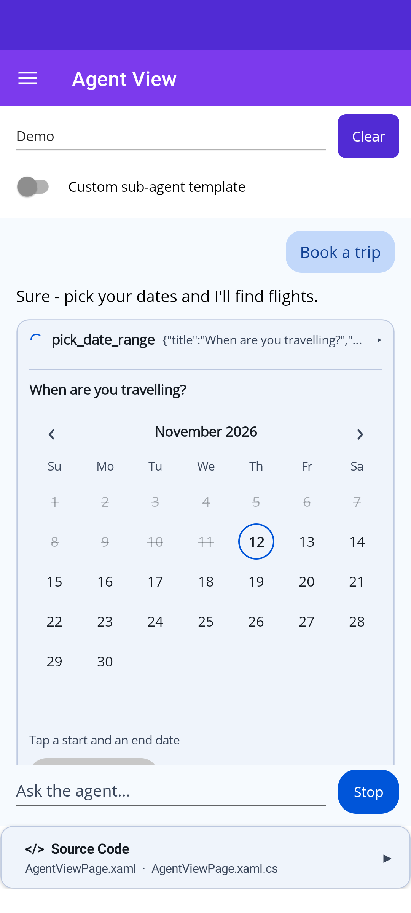
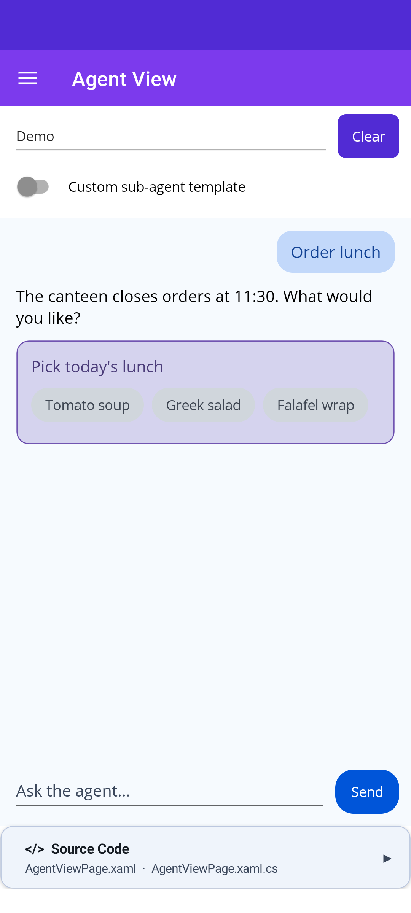
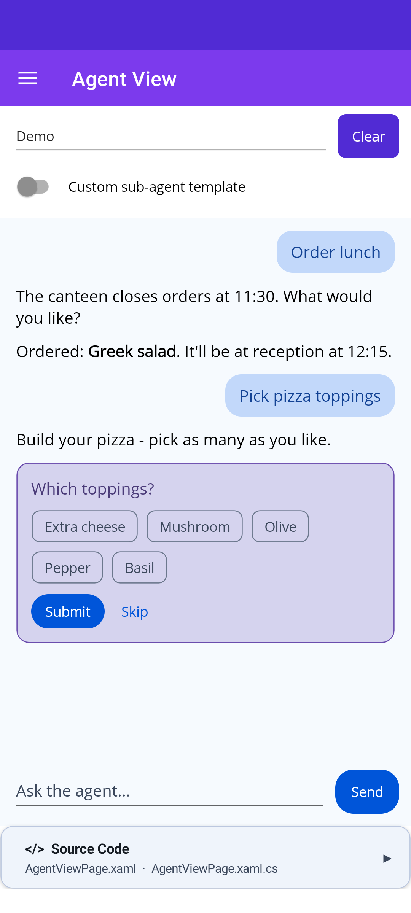
AG-UI interrupts get the same treatment. When a run stops and waits on the user, the card shows choice buttons,
a text reply, or Approve / Reject, depending on what the interrupt asked for, and every answer goes back in one
resume. AiConversation’s ask_user questions arrive this way, so they just work.
A2UI: stop describing tables
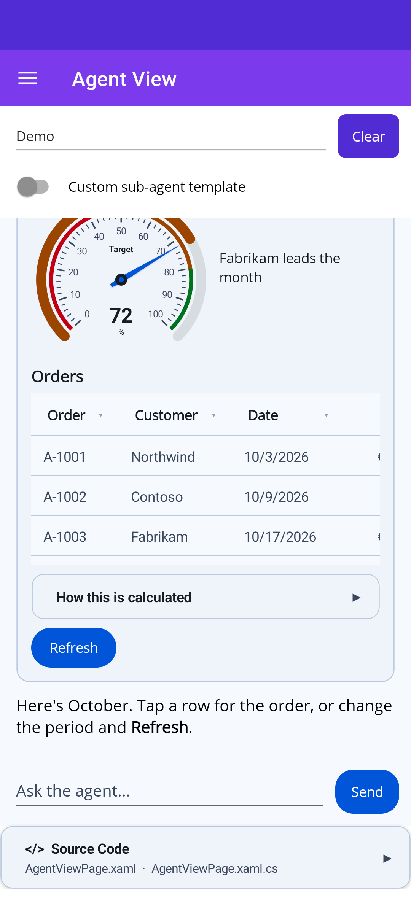
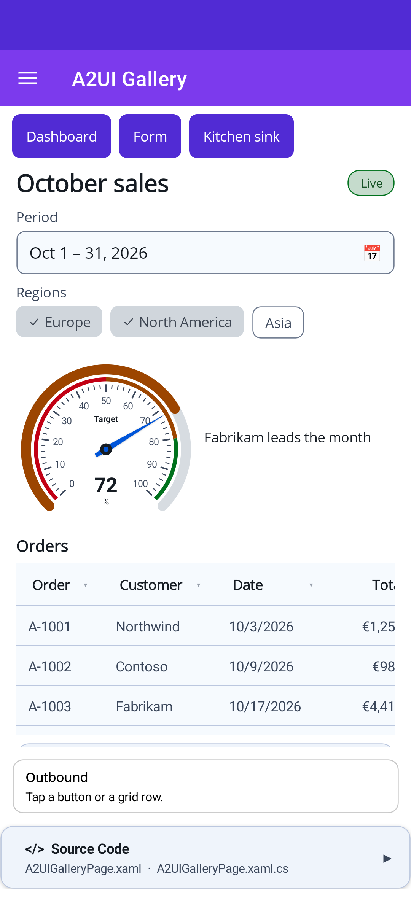
Back to that 40-row Markdown table. With A2UI, the agent sends this instead (trimmed a little):
{
  "version": "1.0",
  "createSurface": {
    "surfaceId": "dashboard",
    "catalogId": "https://shinylib.net/a2ui/shiny.controls/v1.json",
    "dataModel": {
      "target": { "percent": 72 },
      "orders": [
        { "id": "A-1001", "customer": "Northwind", "total": 1250.5, "status": "Shipped" },
        { "id": "A-1002", "customer": "Contoso", "total": 980, "status": "Pending" }
      ]
    },
    "components": [
      { "id": "root", "component": "Column", "children": ["gauge", "grid"] },
      { "id": "gauge", "component": "Gauge", "label": "Target", "units": "%",
        "min": 0, "max": 100, "value": { "@path": "/target/percent" } },
      { "id": "grid", "component": "DataGrid", "title": "Orders", "rows": { "@path": "/orders" },
        "columns": [
          { "key": "customer", "header": "Customer" },
          { "key": "total", "header": "Total", "format": "currency", "currency": "EUR" },
          { "key": "status", "header": "Status" }
        ],
        "rowAction": { "event": { "name": "openOrder", "context": { "orderId": { "@path": "id" } } } } }
    ]
  }
}
and the user gets a real gauge and a real DataGrid, in their own culture’s currency format, with a row tap that goes back to the agent as an action. Not a picture of a table. A table.
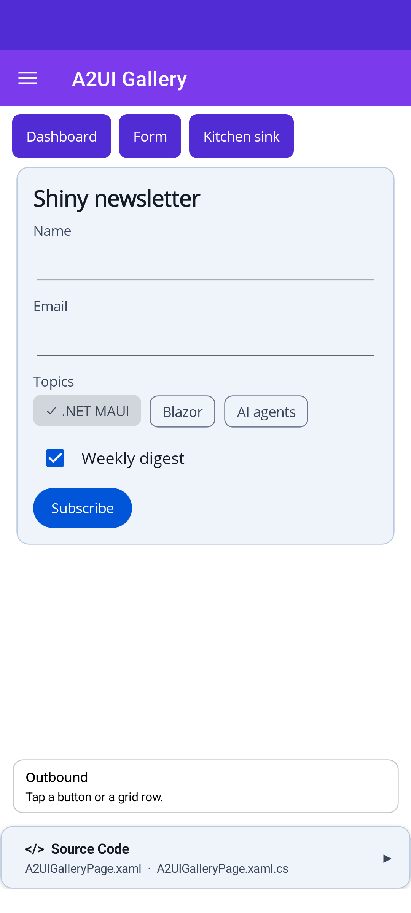
A2UISurfaceView renders the whole A2UI v1.0 basic catalog (Text, Image, Row, Column, List, Card, Tabs, Modal, Button, TextField, CheckBox, ChoicePicker, Slider, DateTimeInput and the rest), and I added a Shiny catalog on top: DataGrid, Gauge, ProgressBar, Pill, Avatar, ChipGroup, TagEntry, DateRangePicker, RangeSlider, Timeline, Expander and Markdown. They’re all drawn with the actual Shiny controls, and the inputs bind both ways into the surface’s data model.
Because it’s agent-generated UI, I was strict about it:
- The agent can only place components the app registered. Unknown ones render as an “unsupported component”
placeholder and report
VALIDATION_FAILEDback. It never guesses. - Parent/child rules, required properties,
allowedCallersandrequiresUserActivationare enforced, soopenUrlonly runs from a real tap. regexchecks follow the spec’s dialect and its safety rules before anything runs, and media URLs go through the spec’s URL policy.- What the user types stays local until they press a button, and only goes to the agent if the surface asked for it.
Inside a conversation, surfaces size to their content and never scroll on their own. A DataGrid with more than 12 rows shows 12 and a “Show all” link that opens a modal, so you don’t end up with a scroll view inside a scroll view on a phone. A Card that’s a surface’s root drops its border, so there’s no box-in-a-bubble.
It also works without AgentView, over any transport you like:
var host = new A2UISurfaceHost(new A2UICatalogRegistry().Add(A2UICatalog.CreateShiny()));
host.Outbound += (_, m) => SendToAgent(m.Message);  // actions, errors, function calls
host.Apply(json);<shiny:A2UISurfaceView Host="{Binding Host}" SurfaceId="dashboard" />And your own components are one registration away:
// MAUI
renderers.Register("Rating", ctx => new RatingView { Value = ctx.Number("value") ?? 0 });
// Blazor
renderers.Register<MyRating>("Rating");
A real model, in the browser, with your key
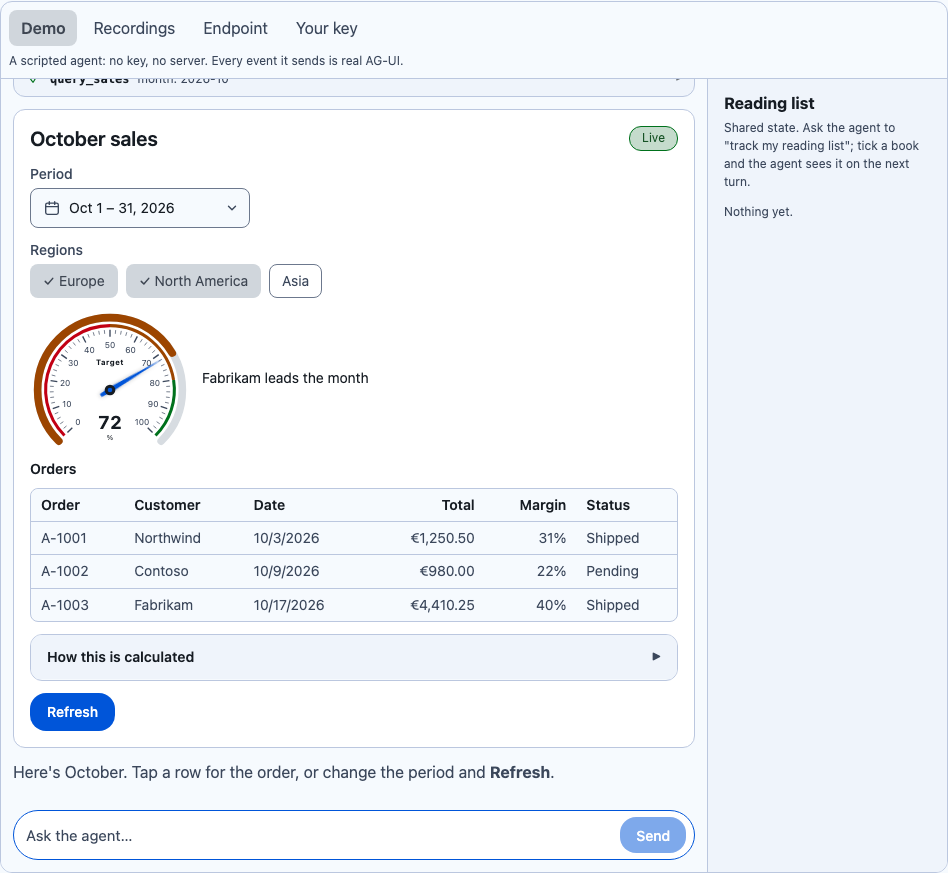
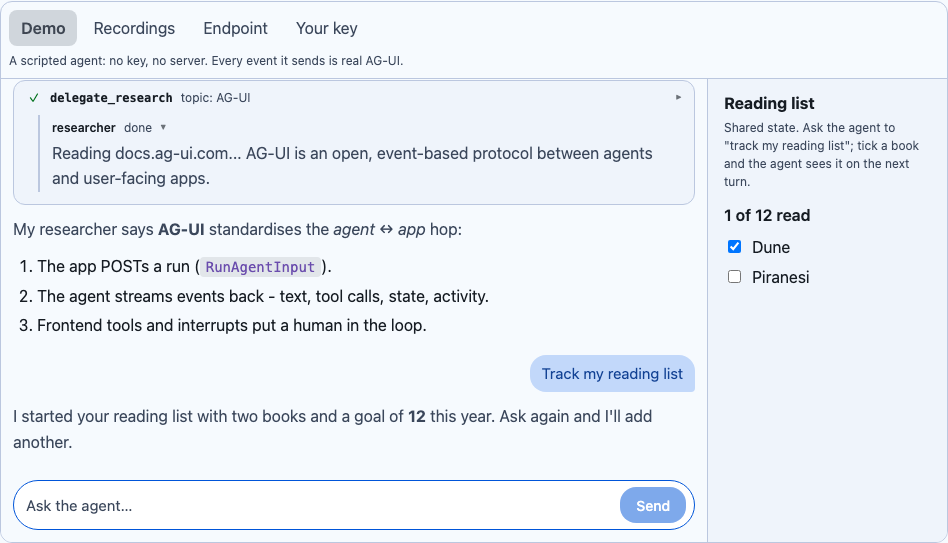
The samples’ Agent View page has four sources: a scripted demo agent that shows every feature without a key,
recordings of a real AGUI.Server, a live AG-UI endpoint, and your own OpenAI-compatible key.
That last one is the fun one. The official AGUI.Server package turns any IChatClient’s stream into AG-UI events,
and it has no ASP.NET Core dependency. So in the Blazor WebAssembly sample, a real model runs in the browser tab,
with no server of mine in between. The model gets a render_ui tool that takes A2UI messages, and the Shiny catalog is
summarised into its system prompt. Ask it for “a dashboard of this week’s support tickets” or “ask me a few questions
to pick a pet” and it builds the UI itself. The key stays in memory and goes only to the endpoint you typed.
One thing I hit, so you don’t have to: running AGUI.Server in a trimmed WebAssembly app needs
<TrimmerRootAssembly Include="AGUI.Abstractions" />. Its JSON options reach the interrupt content types by
reflection, the trimmer strips their constructor parameter names, and every run fails, but only in the published build.
Why not just ChatView?
Shiny already has ChatView, and it’s not going anywhere. ChatView is for people talking to people: read receipts, typing indicators, reactions. AgentView is for a person working with an agent: tool calls, approvals, state, steps and generated UI. They look a bit alike from across the room, and that’s about it.
Try it
Both controls are pure MAUI views and pure Razor components. No WebViews, no JavaScript UI framework, no native binding. They land in Shiny Controls 2.5:
<PackageReference Include="Shiny.Maui.Controls.Agents" Version="*-*" />
<!-- or -->
<PackageReference Include="Shiny.Blazor.Controls.Agents" Version="*-*" />
Or skip the install and try them first: the Blazor playground runs the Blazor controls, and the MAUI web sample runs the MAUI ones, both in the browser.
The docs for AgentView and
A2UI Surface have every property, template and rule, and the samples in
shinyorg/controls have the demo agent, the replay session, the HTTP session
and the in-process IChatClient session ready to copy.
If you’re building agent UI in .NET, I’d love to know what your agent sends that these don’t draw yet. Open an issue on shinyorg/controls.