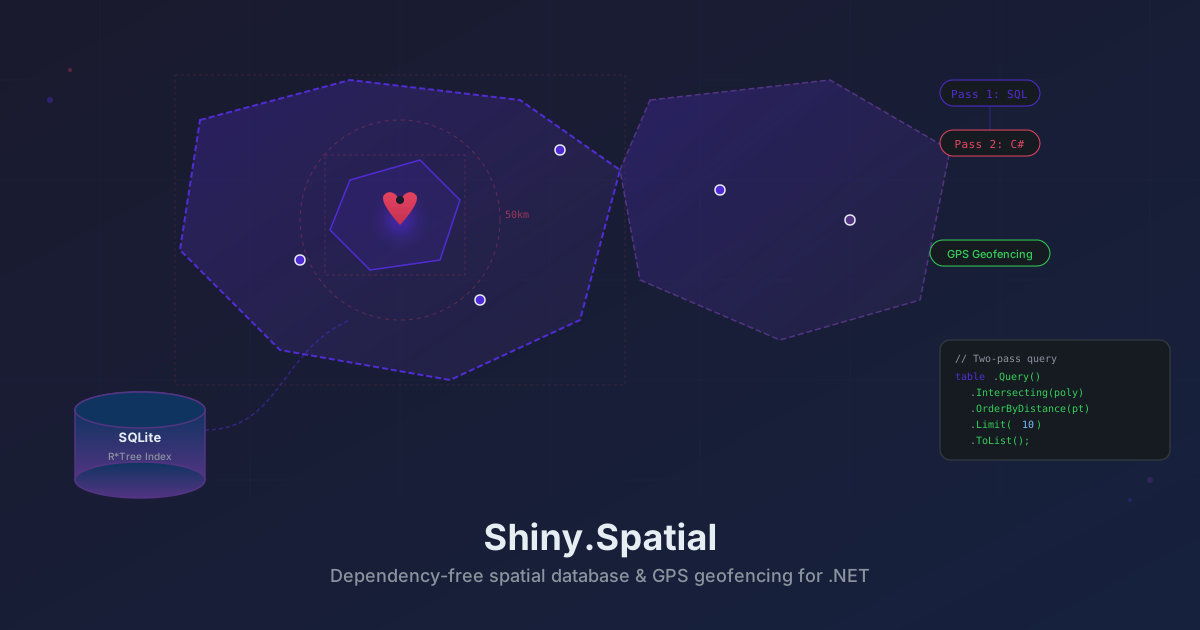
Introducing Shiny.Spatial — A Dependency-Free Spatial Database and GPS Geofencing for .NET
If you’ve ever tried to do geospatial work on .NET MAUI, you know the options aren’t great. SpatiaLite requires native binaries per platform. NetTopologySuite is a full-featured geometry library — great on the server, but heavy on mobile and hostile to AOT. And the built-in platform geofencing? iOS gives you 20 circular regions. Android gives you 60. That’s it.
I needed something different — a spatial database that works everywhere .NET runs, with zero native dependencies, and a geofencing system that can monitor thousands of polygon regions from a real geographic database. So I built Shiny.Spatial.
What Is It?
Two NuGet packages:
Shiny.Spatial— a spatial database engine that stores geometry in SQLite using R*Tree virtual tables, with all spatial algorithms implemented in pure C#. No SpatiaLite, no NetTopologySuite, no native binaries.Shiny.Spatial.Geofencing— a GPS-driven geofence monitor that watches spatial database tables for region entry/exit instead of registering individual fences with the OS.
The spatial database targets netstandard2.0 and net10.0, so it runs on MAUI, Blazor, console apps, servers — anywhere SQLite runs. The geofencing package targets iOS and Android via MAUI.
The Spatial Database
Two-Pass Query Pipeline
Every spatial query follows the same pattern:
-
Pass 1 — R*Tree bounding box filter (SQL, O(log n)). SQLite’s R*Tree virtual table eliminates most candidates based on bounding box overlap. This runs entirely in SQL and is extremely fast.
-
Pass 2 — C# geometry refinement. Surviving candidates are tested with exact geometric predicates — point-in-polygon (ray-casting), segment intersection (cross-product), Haversine distance — in pure C#.
This two-pass approach is the same strategy PostGIS and SpatiaLite use internally. The difference is that both passes here require zero native extensions.
// What happens under the hood for an Intersecting query:
// Pass 1: SELECT * FROM cities_rtree WHERE min_x <= @maxX AND max_x >= @minX ...
// Pass 2: SpatialPredicates.Intersects(candidate.Geometry, queryGeometry)
Creating a Database
using var db = new SpatialDatabase("locations.db");

var table = db.CreateTable("cities", CoordinateSystem.Wgs84,
    new PropertyDefinition("name", PropertyType.Text),
    new PropertyDefinition("population", PropertyType.Integer)
);
Each table gets a single R*Tree virtual table with auxiliary columns for WKB-encoded geometry and user-defined properties. No separate tables, no JOINs.
Geometry Types
All geometry classes are immutable and sealed:
Point,LineString,Polygon(with holes)MultiPoint,MultiLineString,MultiPolygonGeometryCollection
Coordinates use double X (longitude) and double Y (latitude). Polygon supports interior rings (holes) — useful for real geographic boundaries like city limits with excluded areas.
// A simple polygon — Colorado's approximate boundary
var colorado = new Polygon(new[]
{
    new Coordinate(-109.05, 37.0),
    new Coordinate(-109.05, 41.0),
    new Coordinate(-102.05, 41.0),
    new Coordinate(-102.05, 37.0),
    new Coordinate(-109.05, 37.0)  // closed ring
});
Inserting Data
// Single insert
var feature = new SpatialFeature(
    new Point(-104.99, 39.74),
    new Dictionary<string, object?>
    {
        ["name"] = "Denver",
        ["population"] = 715522
    }
);
table.Insert(feature);

// Bulk insert — transaction-wrapped
table.BulkInsert(features);
Querying — The Fluent Builder
table.Query() returns a fluent builder that chains spatial filters, property filters, distance ordering, and paging:
// Find all cities within 50km of Denver, ordered by distance
var nearby = table.Query()
    .WithinDistance(new Coordinate(-104.99, 39.74), 50_000)
    .OrderByDistance(new Coordinate(-104.99, 39.74))
    .Limit(10)
    .ToList();

// Find features inside a polygon
var inColorado = table.Query()
    .Intersecting(coloradoBoundary)
    .ToList();

// Combine spatial + property filters
var largeCities = table.Query()
    .WithinDistance(center, 100_000)
    .WhereProperty("population", ">", 100000)
    .OrderByDistance(center)
    .Limit(20)
    .ToList();

// Paging
var page2 = table.Query()
    .WhereProperty("state", "=", "Colorado")
    .Limit(10)
    .Offset(10)
    .ToList();
Property filters run in SQL (Pass 1), spatial filters run as C# refinement (Pass 2), and distance ordering plus limit/offset are applied after refinement. The query builder composes them automatically.
Direct Query Methods
For simple cases, skip the builder:
var feature = table.GetById(42);
var inBox = table.FindInEnvelope(envelope);
var intersecting = table.FindIntersecting(polygon);
var contained = table.FindContainedBy(polygon);
var nearby = table.FindWithinDistance(center, 10_000); // meters
Performance
All benchmarks on Apple M2, .NET 10, in-memory SQLite, 100K point features:
| Query | Mean |
|---|---|
| FindIntersecting (polygon) | 1.15 ms |
| FindWithinDistance | 183 us |
| FindContainedBy | 987 us |
| GetById | 9.4 us |
| Fluent: spatial + property filter | 1.44 ms |
| Fluent: distance + order + limit | 254 us |
| Insert | Count | Mean |
|---|---|---|
| BulkInsert | 1,000 | 9.8 ms |
| BulkInsert | 10,000 | 93 ms |
| BulkInsert | 100,000 | 964 ms |
The pure algorithms are fast too — Haversine at 28ns, point-in-polygon (5 vertices) at 24ns, segment intersection at 3ns.
Serialization
Geometry is stored as WKB (Well-Known Binary), the same binary format used by PostGIS, SpatiaLite, and every major GIS tool. The built-in WkbReader and WkbWriter handle all seven geometry types.
GPS Geofencing
This is where it gets interesting for MAUI developers.
The Problem with Platform Geofencing
Native geofencing on mobile has hard limits:
| iOS | Android | |
|---|---|---|
| Max regions | 20 | 60 |
| Shape | Circle only | Circle only |
| Precision | OS-determined | OS-determined |
| Timing | OS-determined | OS-determined |
| Handler time | ~4 seconds | Limited |
| Emulator testing | Works | Unreliable |
If your app needs to know when a user enters Denver, you register a circular region around Denver’s center. But Denver isn’t a circle — it’s an irregular polygon. And if your app needs to track entry/exit for 200 cities, you’re out of luck. You’d need 200 regions, but the OS caps you at 20 or 60.
How Shiny.Spatial.Geofencing Works
Instead of registering individual fences with the OS, Shiny.Spatial.Geofencing hooks into GPS updates and queries your spatial databases in real-time:
- GPS reading comes in
- For each monitored table, query
table.Query().Intersecting(point).FirstOrDefault() - Compare the current feature ID with the previously stored feature ID
- If they differ — fire exit for the old region and enter for the new one
No OS region limits. No circular approximations. Real polygon boundaries from real geographic data.
Setup
Install the package:
dotnet add package Shiny.Spatial.GeofencingCreate a delegate to handle region changes:
public class MyGeofenceDelegate(
    ILogger<MyGeofenceDelegate> logger,
    INotificationManager notifications
) : ISpatialGeofenceDelegate
{
    public async Task OnRegionChanged(SpatialRegionChange change)
    {
        var name = change.Region.Properties.GetValueOrDefault("name") ?? "Unknown";
        var action = change.Entered ? "Entered" : "Exited";

        logger.LogInformation("{Action} {Region} (table: {Table})", action, name, change.TableName);
        await notifications.Send("Geofence", $"{action}: {name}");
    }
}
Register in MauiProgram.cs:
builder.Services.AddSpatialGps<MyGeofenceDelegate>(cfg => cfg
    .Add(dbPath, "states")
    .Add(dbPath, "cities")
);
That’s it. The library now monitors both the states and cities tables. When the user crosses a state boundary, you get an exit + enter event. When they enter a city, you get a separate enter event. The two layers are tracked independently.
The API
public interface ISpatialGeofenceManager
{
    bool IsStarted { get; }
    Task<AccessState> RequestAccess();
    Task Start();
    Task Stop();
    Task<IReadOnlyList<SpatialCurrentRegion>> GetCurrent(CancellationToken cancelToken = default);
}
GetCurrent() takes a one-shot GPS reading and tells you which region the device is currently in for each monitored table — useful for initial state on app launch.
Configuration
builder.Services.AddSpatialGps<MyGeofenceDelegate>(cfg =>
{
    cfg.MinimumDistance = Distance.FromMeters(300);  // default
    cfg.MinimumTime = TimeSpan.FromMinutes(1);       // default
    cfg.Add(statesDbPath, "states");
    cfg.Add(citiesDbPath, "cities");
});
MinimumDistance and MinimumTime control how frequently GPS readings trigger spatial queries. The defaults balance battery life with responsiveness.
Multi-Layer Monitoring
Because each table is tracked independently, you get precise layer-specific events:
- Drive from Denver suburbs into Denver city limits →
Entered: Denver(cities table) - Drive from Denver to Colorado Springs →
Exited: Denver,Entered: Colorado Springs(cities table) — no state change event - Drive from Colorado into Kansas →
Exited: Colorado,Entered: Kansas(states table) — plus whatever city events apply
Pre-Built Databases
The repo ships with ready-to-use databases:
| Database | Table | Geometry | Records |
|---|---|---|---|
us-states.db | states | Polygon | 51 |
us-cities.db | cities | Point | 100 |
ca-provinces.db | provinces | Polygon | 13 |
ca-cities.db | cities | Point | 50 |
Include them as MAUI assets and copy to app data on first launch. Or build your own from any GeoJSON source using the included DatabaseSeeder tool.
Why Not SpatiaLite or NetTopologySuite?
| Concern | SpatiaLite | NetTopologySuite | Shiny.Spatial |
|---|---|---|---|
| Native binaries | Yes — per platform | No | No |
| AOT compatible | Platform-dependent | Reflection-heavy | Yes |
| Trimmable | N/A | No | Yes |
| Bundle size | Large (native libs) | Moderate | Small (single dep: Microsoft.Data.Sqlite) |
| Geometry algorithms | C/C++ | C# | C# |
| R*Tree indexing | Built-in | Separate | Built-in (SQLite) |
| MAUI-ready | Requires native binding per platform | Works but AOT issues | Works everywhere |
The tradeoff is coverage. SpatiaLite and NTS support hundreds of spatial operations — buffer, union, difference, convex hull, spatial joins. Shiny.Spatial covers the operations that matter for mobile apps: intersects, contains, within-distance, nearest-to. If you need computational geometry operations, use NTS on the server and ship the results as a spatial database to the device.
When to Use It
Good fit:
- Geofencing beyond OS limits (more than 20/60 regions, polygon shapes)
- Location-aware apps that need “which city/state/zone am I in?”
- Spatial search (find nearby points of interest, stores, landmarks)
- Offline spatial queries without a server round-trip
- Shipping pre-built geographic databases with your app
Not the best fit:
- Simple circular geofencing with a few regions (use
Shiny.LocationsIGeofenceManager instead) - Heavy computational geometry (buffer, union, difference) — use NTS on the server
- Real-time map rendering — this is a query engine, not a rendering engine
Get Started
dotnet add package Shiny.Spatial
dotnet add package Shiny.Spatial.Geofencing  # for MAUI GPS geofencing
Full documentation at shinylib.net/spatial and the GitHub repository.
comments powered by Disqus