Shiny.Net.Http - The Mobile Library Workhorse You Didn't Know You Needed
On this page
Some libraries get the conference talks. Bluetooth gets the conference talks. GPS gets the conference talks.
Shiny.Net.Http doesn’t get the talks. It gets installed six weeks before release, after somebody finally tests the app on a phone that’s in a pocket instead of on a desk - and then it sits there for years, quietly doing the job nobody wrote into the spec.
I want to give it a bit of credit, because I think a lot of people need it and don’t know it exists.
Every app moves files. Eventually.
Think about the apps you’ve built, or the ones your clients keep asking for:
- the field-inspection app that uploads photos and a signed PDF from a basement with one bar of signal
- the dash-cam app that ships video clips home overnight
- the delivery app sending proof-of-delivery images from the back of a van
- the training or offline-maps app pulling down a few hundred megabytes of content
- the “AI on device” app that has to download a model file the first time it runs
- the support team that just wants the logs
Every one of those starts life with HttpClient, and HttpClient is great - right up until the user
leaves your app. iOS suspends you a few seconds later and your socket goes with it. Android is politer
about it but ends up in the same place once memory gets tight. That 200 MB upload stalls at 60% and starts
again from zero next time the app opens. On cellular.
The user did nothing wrong. They answered a text.
I’ve watched teams fight this with background task assertions, wake locks and increasingly heroic retry loops. That fight can’t be won, because the OS is doing exactly what it said it would. The answer is to stop being the one holding the socket and hand the transfer to whatever the platform runs on your behalf.
Ten years of the same problem
This is the oldest code I maintain. It started in 2016 as a Xamarin plugin - before Shiny was a thing -
when “background upload on iOS and Android” meant two sets of platform docs, two implementations, and a
Stack Overflow thread where at least one answer was wrong. It became a Shiny module when Shiny launched in
2019 and it’s been rewritten more times than I’d like to admit since: Xamarin to MAUI, more than one
NSURLSession rewrite, an Android engine that now lives in a foreground service, and a managed engine
that brought the same API to Windows, Linux, macOS and even Blazor WebAssembly.
The part I’m proudest of is the part you can’t see: the API you call has barely changed through all of it.
The long tail you don’t want to write
Here’s what “just upload the file” turns into once it has to work in the real world, and what’s already in the box:
- Surviving suspension - background
NSURLSessionon iOS (the OS even relaunches your app when the transfer finishes), a foreground service on Android, Service Worker Background Sync in the browser, and a connectivity-aware loop everywhere else. - Surviving restarts - the queue is persisted, so the transfer the app started is still there after the process dies.
- Being polite about networks - no network parks transfers in
PausedByNoNetwork;UseMeteredConnection = falsekeeps the big stuff off someone’s data plan. - Pause, resume, cancel - downloads pick up where they left off with a
Rangerequest. - Retries and expired tokens -
HttpTransferDelegatedoes the retry counting, andOnAuthorizationFailedlets you refresh a bearer token and re-queue without losing the transfer. - Resumable uploads - tus support, so a dropped connection at 90% continues from 90%.
- Cloud storage - Azure Blob and S3 upload builders that sign the requests themselves, no vendor SDKs.
And the code to use it is boring, which is the point:
builder.Services.AddHttpTransfers<MyTransferDelegate>();await transferManager.Queue(new HttpTransferRequest(
"inspection-1234",
"https://api.example.com/inspections/1234/photos",
TransferType.UploadMultipart,
photoPath
));public partial class MyTransferDelegate(
ILogger<MyTransferDelegate> logger,
IHttpTransferManager manager
) : HttpTransferDelegate(logger, manager, maxErrorRetries: 3)
{
public override Task OnCompleted(HttpTransferRequest request)
{
// mark it synced, delete the local copy, whatever you need
return Task.CompletedTask;
}
}Queue it and forget it. The app can be suspended or killed a second later and the bytes keep moving.
“But I want a progress bar”
Totally fair - and totally optional. Nothing here needs a screen. But when you do want one, I didn’t want
you writing your own speed and ETA math, so every transfer reports the same TransferProgress: bytes
transferred, total, bytes per second, PercentComplete and EstimatedTimeRemaining. You pick how close
to the metal you want to be.
The firehose. Every transfer, every tick - already rate-limited so a fast connection doesn’t hammer your UI thread:
manager.UpdateReceived += (_, result) =>
    Console.WriteLine($"{result.Request.Identifier}: {result.Progress.PercentComplete:P0}");
Just tell me when this one’s done:
await manager.Queue(request);
var result = await manager.WatchTransfer(request.Identifier);
A list I can bind. This is the one I use most. HttpTransferMonitor hands you a collection of
INotifyPropertyChanged objects, seeded from the persisted queue - so when the app comes back after being
killed, the bars are already in the right place instead of starting at zero:
public class TransfersViewModel(HttpTransferMonitor monitor)
{
    public INotifyReadOnlyCollection<HttpTransferObject> Transfers => monitor.Transfers;

    public Task Start() => monitor.Start(syncContext: SynchronizationContext.Current);
}<CollectionView ItemsSource="{Binding Transfers}">
<CollectionView.ItemTemplate>
<DataTemplate>
<VerticalStackLayout>
<Label Text="{Binding Identifier}" />
<ProgressBar Progress="{Binding PercentComplete}" />
</VerticalStackLayout>
</DataTemplate>
</CollectionView.ItemTemplate>
</CollectionView>Not in my app at all. Here’s the thing though - the user isn’t in your app. That’s the whole premise. So the most useful progress bar is usually the one on the Lock Screen:
builder.Services.AddTransferProgress(opts =>
{
    opts.Scope = TransferProgressScope.Summary;
    opts.Fields = TransferProgressFields.Default;
});
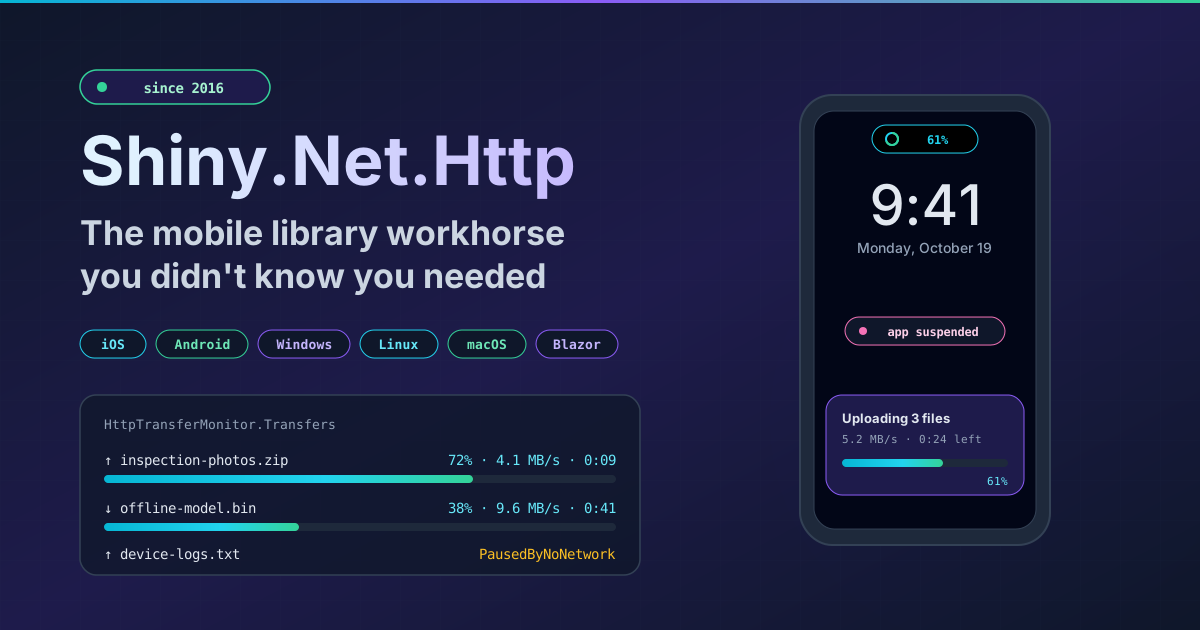
That puts your transfers on an iOS Live Activity (Lock Screen and Dynamic Island) or the Android foreground-service notification, with no Swift and no notification plumbing on your side. I wrote up how that actually works back in August - including the fun discovery that iOS gives you no progress callbacks at all while you’re suspended, and what I did about it.
Go put it in your app
If your app moves a file - and I’d bet it does, or will - give it a look before you write the retry loop. iOS, Android, Mac Catalyst, Windows, Linux, macOS and Blazor, trimmable and AOT friendly.
The docs are at shinylib.net/client/httptransfers. It’s been carrying bytes for ten years. It’d be happy to carry yours.