One Contract, Three Transports — Mediator AI Tooling
On this page
What if you could write a single C# record and have it automatically become a fully typed AI tool — with zero adapter code? That’s what Shiny Mediator 6.3 delivers.
The Problem
Building AI tool calling today means writing repetitive adapter code. You define a JSON schema by hand, parse arguments from the LLM response, validate them, call your business logic, and serialize the result back. If you already have a mediator contract for the same operation, you’re duplicating intent across two representations. Multiply that by every tool your agent needs — ten, twenty, fifty tools — and it becomes a real maintenance problem.
Worse, the schema and the code drift apart. You rename a property in your contract but forget to update the JSON schema. You add a new required parameter but the tool adapter still treats it as optional. The LLM hallucinates a parameter name that used to exist, and your hand-written parser silently swallows the error. These bugs are subtle, hard to test, and only surface at runtime.
The Contract-First Approach
In Shiny Mediator, a contract is a plain record that describes an operation:
[Description("Get the current weather forecast for a given city")]
public record GetWeather(
    [property: Description("The city name to get weather for")]
    string City,

    [property: Description("Temperature unit: 'celsius' or 'fahrenheit'")]
    string Unit = "celsius"
) : IRequest<WeatherResult>;

public record WeatherResult(string City, double Temperature, string Unit, string Condition);
And a handler implements the logic:
[MediatorSingleton]
public partial class GetWeatherHandler : IRequestHandler<GetWeather, WeatherResult>
{
    public async Task<WeatherResult> Handle(
        GetWeather request, IMediatorContext context, CancellationToken ct)
    {
        // your logic here
    }
}
That’s the only code you write. From here, source generators take over.
AI Tool Generation
Add a [Description] attribute to your contract and set ShinyMediatorGenerateAITools=true in your project:
<PropertyGroup>
    <ShinyMediatorGenerateAITools>true</ShinyMediatorGenerateAITools>
</PropertyGroup>
The source generator produces a fully typed AIFunction subclass compatible with Microsoft.Extensions.AI:
// auto-generated
internal sealed class GetWeatherAIFunction : AIFunction
{
    private readonly IMediator _mediator;

    private static readonly JsonElement _jsonSchema =
        JsonDocument.Parse("""
        {
            "type": "object",
            "properties": {
                "city": { "description": "The city name to get weather for", "type": "string" },
                "unit": { "description": "Temperature unit", "type": "string", "default": "celsius" }
            },
            "required": ["city"]
        }
        """).RootElement.Clone();

    public override string Name => "GetWeather";
    public override string Description => "Get the current weather forecast for a given city";
    public override JsonElement JsonSchema => _jsonSchema;

    protected override async ValueTask<object?> InvokeCoreAsync(
        AIFunctionArguments arguments, CancellationToken cancellationToken)
    {
        var json = JsonSerializer.SerializeToElement(arguments);

        var contract = new GetWeather(
            City: json.GetProperty("city").GetString()!,
            Unit: json.TryGetProperty("unit", out var u) && u.ValueKind != JsonValueKind.Null
                ? u.GetString()! : "celsius"
        );

        var (_, result) = await _mediator.Request<WeatherResult>(contract, cancellationToken);
        return result;
    }
}
A registration extension is also generated:
builder.Services.AddShinyMediator(x => x
    .AddMediatorRegistry()
    .AddGeneratedAITools()   // registers every [Description] contract as an AITool
);
Then pass the tools to any IChatClient:
var tools = services.GetServices<AITool>().ToList();
var options = new ChatOptions { Tools = tools };
var response = await chatClient.GetResponseAsync(history, options);
Middleware Runs on AI Tool Calls Too
Because the generated AI tools dispatch through the mediator pipeline, every middleware you’ve already configured applies to AI tool calls automatically. Logging, validation, authorization, exception handling, caching — all of it fires without any extra wiring.
This is a significant advantage over hand-rolled AIFunction implementations. When you write a tool adapter manually, it typically calls your service layer directly, bypassing cross-cutting concerns. With the mediator approach, an AI tool call follows the same pipeline as a UI-triggered action or an API call. Your audit log captures it. Your validation middleware rejects bad input before the handler runs. Your error handling middleware catches exceptions and returns structured errors the LLM can interpret.
You can even write middleware that targets AI calls specifically — for example, injecting a MediatorContext value that tells the handler the call originated from an LLM, so you can apply tighter authorization or rate limiting for AI-initiated operations.
Scaling to Many Tools
The real power shows when your agent needs many tools. Instead of maintaining dozens of AIFunction subclasses with hand-written schemas, you just add [Description] to your existing contracts. Every contract with a description attribute becomes a tool at the next build.
Adding a new tool to your agent is the same workflow as adding any new mediator operation:
- Define the contract record with
[Description] - Implement the handler
- Done — the tool is registered automatically
No schema files to maintain. No adapter classes to write. No registration code to update. The source generator handles the JSON schema, argument parsing, DI wiring, and AIFunction implementation.
This also means removing a tool is just deleting the [Description] attribute (or the contract itself). There are no orphaned adapters or stale schema definitions to clean up.
Beyond AI: The Same Contract Powers HTTP Too
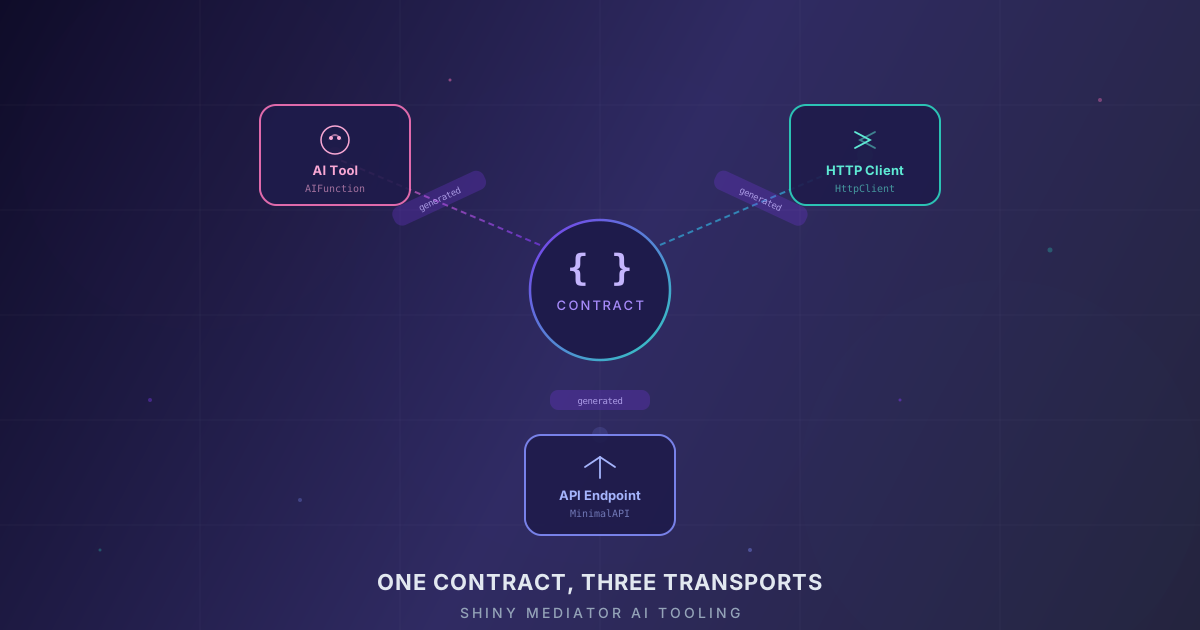
The same contract-first approach extends beyond AI tooling. Shiny Mediator also generates HTTP clients and ASP.NET endpoints from your contracts — meaning a single record and handler can serve as an AI tool, a typed HTTP client, and a REST endpoint simultaneously. The transports are generated; you write the logic once.
Why This Matters
Traditional tool-calling setups require you to maintain parallel definitions:
| Layer | Without Mediator | With Mediator |
|---|---|---|
| Business logic | Handler class | Handler class |
| AI tool schema | Manual JSON schema | Generated from contract |
| AI tool adapter | Manual AIFunction subclass | Generated |
| Argument parsing | Manual deserialization | Generated |
| DI registration | Manual for each tool | Generated |
| Middleware/validation | Manual per tool | Automatic via pipeline |
With the contract-first approach, adding a new capability to your application — whether it’s exposed as an AI tool, an HTTP endpoint, or both — is one record and one handler.
Full AOT Compliance
The generated AIFunction classes are fully Native AOT compatible. Here’s what makes that possible:
No reflection. The generator reads [Description] attributes, property types, nullability, and default values at compile time. It emits direct property access code — json.GetProperty("city").GetString()! — instead of relying on JsonSerializer.Deserialize<T>() or reflection-based binding.
Static JSON schema. The schema is a compile-time constant string parsed once into a JsonElement on first use. There’s no runtime schema construction, no JsonSerializerOptions configuration, and no dynamic type inspection.
Constructor-based hydration. The generated code constructs the contract using its primary constructor with named arguments. No Activator.CreateInstance, no FormatterServices, no property setters via reflection.
Concrete types throughout. Each generated class is a sealed, non-generic concrete type. The DI registrations are explicit AddSingleton<AITool>(sp => new GetWeatherAIFunction(...)) calls — no open generics or service descriptor scanning at runtime.
This means your AI tools work in trimmed, ahead-of-time compiled applications — including .NET MAUI apps targeting iOS and Android — without linker warnings or runtime failures. The same tools that power your cloud API also run on-device in a fully native binary.
Supported Type Mappings
The generator handles the full range of C# types in your contracts:
| C# Type | JSON Schema | Notes |
|---|---|---|
string, Guid, Uri, DateTime |
"string" |
|
bool |
"boolean" |
|
int, long, short, byte |
"integer" |
|
float, double, decimal |
"number" |
|
enum |
"string" with "enum" array |
All values listed for the LLM |
T[], IEnumerable<T> |
"array" |
|
Nullable types (T?) |
Omitted from "required" |
|
| Default values | Included as "default" in schema |
Fallback used when LLM omits the parameter |
ICommand contracts are also supported — the generated tool returns a success message string instead of a typed result.
Getting Started
- Add the
[Description]attribute to your contracts and their properties - Set
<ShinyMediatorGenerateAITools>true</ShinyMediatorGenerateAITools>in your project file - Reference
Microsoft.Extensions.AI - Call
.AddGeneratedAITools()during mediator setup - Resolve
IEnumerable<AITool>from DI and pass to your chat client
Every contract with a [Description] attribute automatically becomes a tool. Add a new contract, and the next build picks it up — no registration changes, no schema files, no adapter classes.
Check out the Sample.CopilotConsole for a working example that wires up AI tools with a chat loop, or browse the Shiny Mediator documentation for the full setup guide.